How to create a shared digital wedding album that survives the day
Shared wedding album with guest photos, videos, voice messages and comments: 5 services compared (October 2026), which suits you, and how to set it up.

The short answer: GuestCam and QR Album collect guest photos, videos, voice messages and comments in one shared album. GuestPix and Google Photos handle photos, videos and comments but no voices. At £29, one-off, QR Album is the lowest price for all 4, with no app for guests. Prices checked on 16 October 2026.
A British wedding rarely stays in the room where it began. The wedding breakfast gives way to the bar, evening guests arrive, and a marquee may offer more weather than mobile signal. A shared album has to follow that movement. One QR card beside the table plan will collect the calm half of the day and miss the rest.
This guide starts with the choices that are awkward to change after printing, then follows the guests through the reception and finishes with the download. QR Album is ours. The same checks apply if you choose Google Photos, iCloud or another event gallery.
Which shared albums take photos, videos, voice messages and comments?
A shared guest album is one online gallery that every guest can add to and browse. Photos and videos are standard; comments and voice messages are not. GuestCam and QR Album offer all 4, GuestPix and Google Photos leave out voice messages, and Wedibox takes voices but does not mention comments.
Which one suits you?
- Everyone already uses Google Photos: a shared album there is free, with photos, videos and comments, but no voice messages.
- You want a private feed with likes, comments and a written or video guestbook: GuestPix, from £39, one-off. It takes no voice messages.
- You want voices too: GuestCam from $49 on sale, with reactions and comments on every photo and video, or Wedibox from $49 with an audio guestbook.
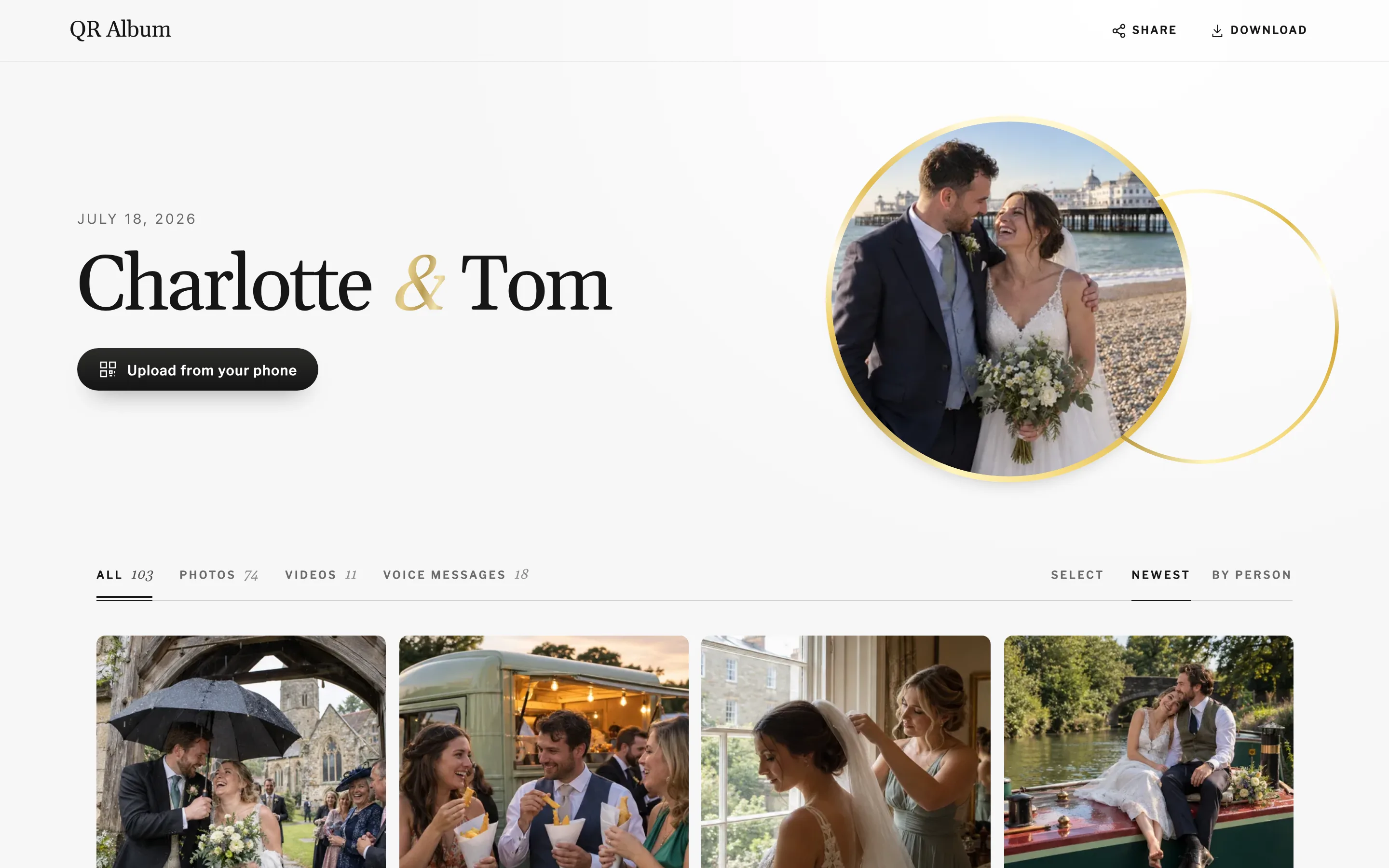
- You want all 4 in one album, priced in pounds, with nothing for guests to install: QR Album, from £29.
None of these wedding services asks guests to install an app; each one runs in the phone’s browser. The real difference is what guests can do once they are in: upload and leave, or browse, react and reply to one another.
QR Album: one album for photos, voices and comments
- Public or private: you decide whether guests can browse the album or only you can see it. Add a password if you prefer.
- Likes and comments: guests scroll through everyone’s photos and videos, add hearts and leave comments.
- A name on each contribution: guests can sign what they send, so you know whose video of the first dance it is.
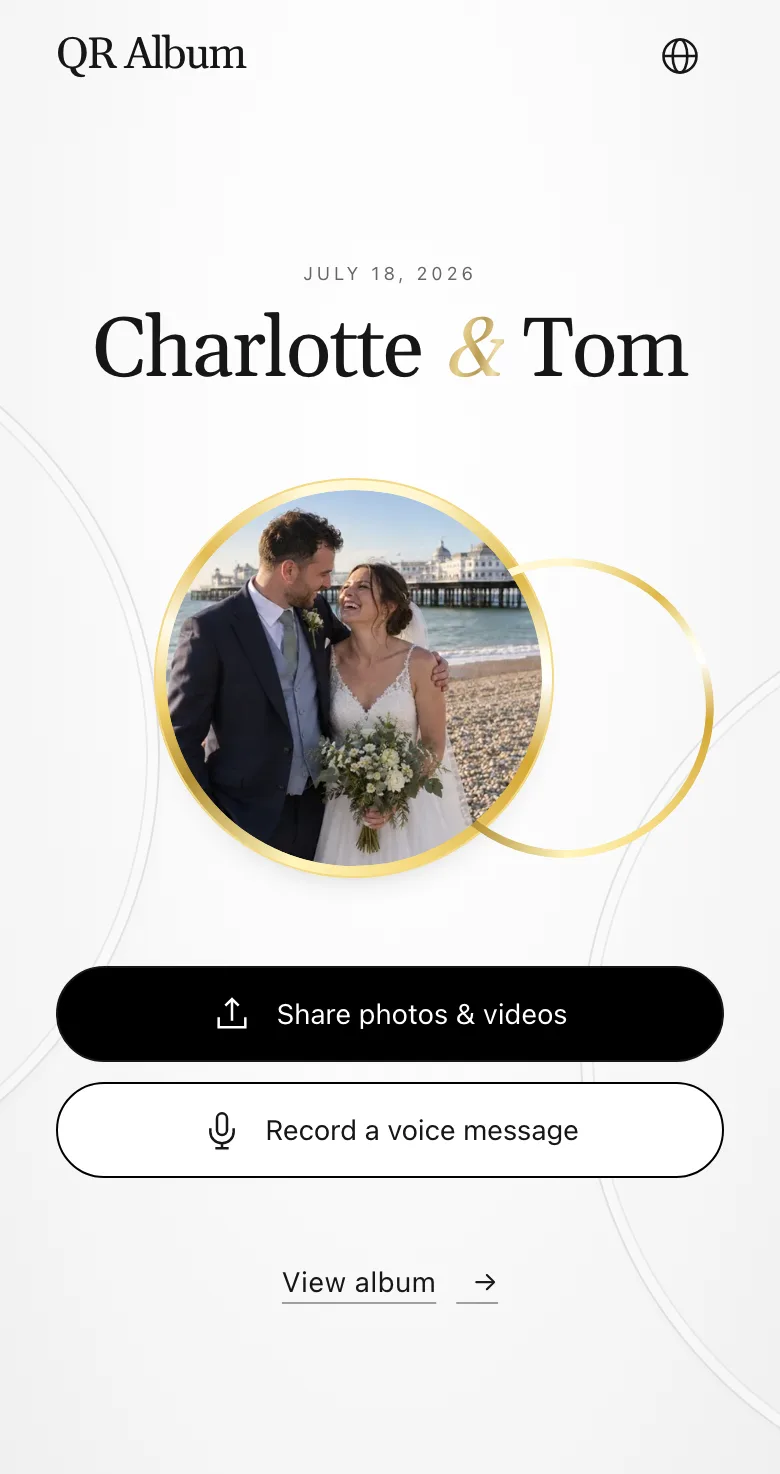
- Voice messages during and after: the link stays open, so guests can still record a message days later, along with photos and videos.
- Live photo wall from Celebrate: new photos appear on the screen at the reception.
- No app and no account, on any phone. You choose the album design and the cover photo.
What should you decide before creating the shared album?
Settle 4 details before you print anything: who may upload, who may browse, whether guests may download, and the date the gallery closes. Give the host control of all 4. A share link alone is convenient, but it does not tell a guest which permissions sit behind it.
Start with the audience. A small family wedding may be happy with an unlisted link. A larger guest list may suit a password, particularly if children or private speeches will appear. Decide whether new photographs show immediately or wait for approval. If the gallery will run on a screen, moderation matters more than it does for a host-only inbox.
The familiar cloud options are platform-shaped. Apple Support explains that Shared Albums use invitations and subscribers, while Google Photos documents link sharing and collaboration. They work well when the group already lives in that account system. At a mixed wedding, however, an account prompt becomes an extra job for the person holding the phone.
Run a guest test, not a host test. Open the link in a private window on an iPhone and an Android phone. Upload 1 photograph, look for a clear confirmation, then find the original in the organiser view. Logins saved on your own phone can hide the exact permission problem your guests will meet.
Finally, write the closing date beside the album in your planning notes. A QR Album gallery stays open for 3, 6 or 12 months, depending on the plan. Another service may use a longer fixed window or keep the album while an account remains active. Neither model is automatically better. An unclear model is the problem.
How do you keep the album working from ceremony to evening party?
Use 3 points of contact: a card during the wedding breakfast, another near the bar or dance floor, and the plain link in a message after the day. Each should lead straight to the upload screen. Evening guests should not have to find the seating plan for a meal they never attended.
Print an instruction, not merely a label. “Scan, choose your photos, add them to our album” is clearer than “Our memories”. Add the short web address underneath as a fallback. A scratched print, a dark room or an older camera may stop the scan, but they should not stop the contribution.
Ask the master of ceremonies to mention it once, preferably before people leave their tables. Then move the reminder with the party. A small card by the bar catches evening arrivals and the photographs taken after dinner. If you use a live wall, show only approved media and keep the QR code visible without letting it cover the pictures.
Treat poor reception as normal rather than exceptional. Test on mobile data at the venue. If an upload stops, the guest needs an understandable retry route. The same link should remain useful at home, so the follow-up message can collect camera photographs and the half-finished upload from the marquee without introducing a second folder.
On the QR Album wedding page, guests use the browser and do not create accounts. That is one approach, not a universal requirement. Whatever you choose, the correct test is whether the least technical invited person can complete the upload from the printed card without borrowing the organiser’s phone.
What happens to the album and downloads after the wedding?
Download the complete original archive, open it, and keep 2 separate copies before the online window ends. Then create a smaller guest-facing selection. The upload gallery and the album you share for years do not have to be the same object or carry the same permissions.
A bulk download should contain the original files rather than screen-sized previews. Test this before the reception with 1 photograph and 1 video. Compare file size, dimensions and playback after export. If the service only offers individual saves or hides video behind a different export, that is useful to know before hundreds of files arrive.
Set 2 calendar reminders: the first while guests can still contribute, the second 7 days before closure. Use the first to send the final request and the second to take the archive. State the deadline in both. A real date prompts action more reliably than “send them when you have a moment”.
Keep the full export in one local place and one independent backup. Once those copies have been checked, curate the photographs people will actually enjoy browsing. You can share that selection through a fresh view-only gallery and retire the upload password. This limits late changes without taking the album away from family.
The handover is complete only when you can find the files without the vendor. An online gallery is convenient for collecting and viewing; it should not be the sole holder of irreplaceable photographs. Close the event after the archive opens correctly in both locations, not simply after the final thank-you message has gone out.
What do shared albums with voices and comments cost?
Google Photos costs nothing. Among the wedding services, QR Album at £29, one-off is the lowest price for photos, videos, comments and voice messages together. GuestPix starts at £39, while GuestCam and Wedibox start at $49. All prices were checked on 16 October 2026.
| Service | Price | Comments | Voice messages |
|---|---|---|---|
| QR Album | £29 · £69 · £89, one-off | Yes | Yes |
| GuestPix | £39 · £69 · £89, one-off | Yes | No |
| GuestCam | $49 · $97 (sale prices) | Yes | Yes |
| Wedibox | $49 · $79, one-off | Not stated | Yes |
| Google Photos | Free | Yes | No |
QR Album’s plans differ by how long the album stays online and what each adds: £29 for 3 months, £69 for 6 months with the live photo wall, and £89 for 12 months with voice messages transcribed automatically. Each is a single payment with no subscription, and there is no limit on how many photos or voice messages guests send.
Good to know: a free Google Photos album suits a group that already shares the same accounts and has no use for voice messages. If you would like every guest’s voice, photos and videos in one album, a wedding service gets you there with less chasing.
Create the gallery, hand the test card to somebody else and download their test upload before ordering the full print run.
Create your wedding albumAsked before, answered properly
Which shared event albums support guest photos, videos, voice messages and comments?
GuestCam and QR Album support all 4. GuestPix and Google Photos take photos, videos and comments but no voice messages. Wedibox takes photos, videos and voice messages and does not mention comments. Of these, QR Album costs the least, from £29.
Can guests comment on photos in a shared wedding album?
On Google Photos, GuestPix, GuestCam and QR Album, yes. In a QR Album gallery guests add hearts and comments to what others have posted, as long as you keep the album public.
How do voice messages work in a QR Album gallery?
Guests scan the QR code, tap to record and speak into the phone’s browser, with no app. They can add their name, and the same link still takes voice messages after the wedding. With Grand, each one is transcribed automatically.
Is an unlisted wedding album private?
It is hidden from public listings, but anybody who receives the link may be able to forward it. Add a password when you want a second boundary, and check separately who can upload, browse and download.
Where should the QR code go at a UK wedding?
Use the wedding breakfast tables, the bar or dance-floor area, and a follow-up message. That sequence reaches day guests, evening guests and people whose venue signal failed. Print a short link under every code.
How long does a QR Album wedding gallery stay open?
Depending on the plan, a QR Album gallery stays open for 3, 6 or 12 months. Other services use different windows. Record the closing date, send a final reminder and download all originals before it arrives.
How do we share our photographer’s photos with guests?
The simplest way is to pass on the gallery link your photographer sends, on Pixieset, Pic-Time or similar; downloads and file sizes are the photographer’s call. If you would rather have their favourites beside your guests’ snaps, upload a selection via your own QR code. QR Album keeps photos at up to 2,560 pixels on the long edge, so the original files stay with your photographer.